Product

Follow a patient through the department.

Virtual Bones is organised the way care happens: from the moment an injury walks through the door to the leaflet in the patient's hand. Here is everything it does, in that order.

01 Front door02 Assess03 Document and refer04 Treat05 Discharge06 Learn07 Your team

01Front doorFind the injury

Two taps from the skeleton to the injury.

Every injury that walks through the door, arranged the way clinicians think about them: by body region, adult or paediatric, with the common injuries first.

Adult and paediatric skeletonsTap the region, then the injury. Children have their own skeleton and age-specific pathways.
Common injuries firstEach region splits into the injuries you see every shift and the rest, one tab away.
Smart searchType it the way it comes out. Misspellings and shorthand still find the injury, splint or leaflet.
Searches that found nothingPassed to your team, so the next page they write is the one people looked for.
02AssessKnow what you are looking at

The injury page you wish you had on your first night.

What it looks like, what to examine, what to write down, and how your department manages it, on one page.

Annotated X-raysImages to hold up against your patient's film, with the key findings marked.
Assessment and red flagsWhat to document, with the examination a tap away, and the findings that change the plan.
Soft tissue and infectionHot joints, red limbs, infected hands and bites, with the do-not-miss diagnoses first.
Spine and risk calculatorsSpinal injury pages with your escalation route, and scored tools and the ASIA chart where your hospital uses them.
03Document and referMagic Templates

The note writes itself while you examine.

Point and click documentation for each injury, with guidance beside every question, your trust's pathway applied as you answer, and a note ready to paste into any electronic patient record.

Why we ask, beside every questionThe reason for each question, with the image to compare and the splint or leaflet it leads to.
The pathway as you goDischarge, fracture clinic or the on-call team, shown as you answer, following your hospital's criteria.
Phone to computerStart at the bedside, finish at a department computer with a six-character code that works once.
The VFC decision toolFor the consultant: the outcome and both letters, to the GP and the patient, on one screen. See it working
04TreatFind the kit, fit it right

Where it is kept, and how to put it on.

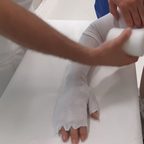
Every sling, splint and cast your department stocks, with a photograph of where it lives and a short video of how to apply it, made by your own team.

Kit locationsPhotographs of the shelf, the trolley and the cupboard, so nobody hunts for a backslab.
How-to videosStep by step, filmed in your department, beside the written instructions.
Assessments and proceduresStep-by-step guidance for examinations and procedures.
Linked from the injuryThe injury page and the template both point to the right splint.
05DischargeShow your patient

The right leaflet, without paper.

The leaflet that matches the injury, handed over in seconds, in whatever way suits the patient.

QR code, email or textScan from the bed, or send it, with no drawer of photocopies to run out.
Matched to the injuryThe leaflet appears on the injury page and in the documentation template.
Local physiotherapyPoint patients to your local service, the way your department refers.
Every leaflet in one listYour department's leaflets by region, for the patient who needs one without an injury page.
06LearnLearning Hub and the built-in guide

Teaching that counts toward something.

Handbooks and short modules on the same phone staff use on shift, with knowledge checks, certificates and competency sign-off.

Modules and handbooksShort, practical, and finished on a phone between patients.
Competency sign-offAt Ipswich, a plaster room technician signs each step on the learner's phone, and the record goes to the training register.
Induction for every rotationVideos and a module for new starters, so day one is not a guessing game.
A guide on every screenA tour, how-to articles and help where you need it, so nobody needs training to start.
09:41●●●
←Learning Hub
Cast roomOff-the-shelf fitting
Not started
COM 146Prepping for Plaster Application7 sections · 8-question check›
COM 148Use of the Plaster Saw for Removal of Circumferential Plaster Casts8 sections · 8-question check›
COM 145Holding for Application of Plaster Casts10 sections · 8-question check›
COM 147Removal of Slabs and 'Softcast' Plasters and Trimming Plasters9 sections · 8-question check›
COM 149Windows in Casts for Wound Inspection8 sections · 8-question check›
COM 145 · Cast room

Holding for Application of Plaster Casts

Who this is for: Any Nurses, Nursing Associates Healthcare Assistants or other clinical staff based in Fracture Clinic

10 sections8-question knowledge checkPass mark 70%4 videosTechnician sign-off
What's inside
  1. About this competency
  2. Basics
  3. Plaster application
  4. Below knee
  5. Full above knee
  6. Leg cylinder
  7. Hinged cast brace
  8. Full above elbow
  9. Knowledge check
  10. Sign-off and completion
Start module
Section 4 of 10 · Below knee

Standing distally, or standing laterally?

For each statement from the pack, decide which of the two holding positions it describes.

Which holding position is this?Thenar eminences and thumbs on the plantar surfaceStanding distallyStanding laterallyCorrect: standing distally
Which holding position is this?One hand supports from the midfoot to toesStanding distallyStanding laterallyCorrect: standing laterally
Which holding position is this?The recommended position to holdStanding distallyStanding laterallyCorrect: standing distally
3 of 6 sorted
Section 9 · Knowledge check
Question 2 of 8Pass mark 70%
As standard, how should the ankle be held for a below knee cast?
AIn plantar flexion, with the toes pointing down
BIn slight inversion
CIn a neutral position: at 90 degrees with no inversion or eversion, abduction or adduction
Correct. As standard the ankle is held in a neutral, plantigrade position.
COM 145 · Competency sign-off

Holding for Application of Plaster Casts

Learner: Sam Taylor

2 of 7 signed
Trainer signatureSigned by a plaster room technician
Observation 1: Below KneeSigned by a plaster room technician
Observation 2: Full Above KneeSigned by a plaster room technicianAsk technician
Observation 3: Leg CylinderSigned by a plaster room technician
Observation 4: Hinged Cast BraceSigned by a plaster room technician
Observation 5: Full Above Elbow CastsSigned by a plaster room technician
Your declarationAfter the trainer and every observation

Observation 2: Full Above Knee · signed by a plaster room technician

I am a plaster room technician and I observed Sam Taylor undertake Holding for Application of Plaster Casts: Full Above Knee, and I consider them competent.
SignatureClear
Sign here with your fingerRobin Hale
Sign
Signed

Thank you, Robin. A receipt has gone to robin.hale@example.nhs.uk.

Hand back to the learner
COM 145 · Competency sign-off

Holding for Application of Plaster Casts

Signed off: all 7 signatures
Trainer signatureAlex Morgan · 9 Oct 2026
Observation 1: Below KneeAlex Morgan · 9 Oct 2026
Observation 2: Full Above KneeRobin Hale · 9 Oct 2026
Observation 3: Leg CylinderRobin Hale · 9 Oct 2026
Observation 4: Hinged Cast BraceRobin Hale · 9 Oct 2026
Observation 5: Full Above Elbow CastsRobin Hale · 9 Oct 2026
Your declarationSam Taylor · 9 Oct 2026
Your competency record was emailed to the training register. You can download your own copy.
Download record (PDF)
07Your teamYou're in control

Your content, kept current by your team.

Everything in the app belongs to your hospital, and your admins change it in a console built for it. How hospitals use it

Edit any page in minutesPathways, contacts, kit locations and leaflets. Changes reach every phone.
AnalyticsWhat gets used, when, and on which device.
Staff feedbackA feedback button on every screen, straight to your team.
Audit trailEvery change recorded, with who made it and what it replaced.
AnalyticsUsage across the app and the webapp
Searches with no resultsWhat to write next
FeedbackFrom every screen, to your team
Activity logEvery change, and what it replaced
Where it runs

On every device in the department.

THE APP

For every clinician

iPhone and Android, for the bedside and the corridor.

  • Sign-up with an NHS email address
  • Approved by your team
THE WEBAPP

For every department computer

The same content in the browser, with the documentation templates at full size.

  • Limited to your hospital network
  • Nothing to install
THE CONSOLE

For your team

Content, analytics, feedback and the audit trail, in one place.

  • Your admins, your content
  • Every change recorded

Book a demoSee it working